
Registering a .au domain with GoHosting is quick and easy—and an excellent way to establish a credible presence online in Australia. As an auDA-accredited registrar, GoHosting offers a trusted platform for individuals and organisations to secure their Australian domain. Already own it elsewhere? You can transfer it to GoHosting instead.
This article will guide you through each step of registering a .au domain name with GoHosting, including the eligibility requirements you’ll need to meet beforehand.
How to register a .au domain with GoHosting
These simple steps ensure a smooth experience when registering a .au domain.
1. Check if you're eligible to register a .au domain
To register a .au domain, you need to meet certain eligibility rules, which vary depending on the type of domain:
.com.au and .net.au – For commercial entities registered to do business in Australia. You’ll need a valid ABN (Australian Business Number), ACN (Australian Company Number), or an Australian trademark that matches your domain name.
.org.au – Reserved for registered Australian not-for-profits (e.g. charities, religious groups, political parties). You’ll need to show proof of your not-for-profit status, such as incorporation or registration documents.
.au – Open to anyone with an Australian presence, including citizens, permanent residents, and businesses. You must provide proof of your connection to Australia, such as an Australian passport, driver’s licence, ABN, or ACN.
Additionally, for .com.au, .net.au, and .org.au, your domain name must relate closely to your business, organisation, or trademark.
This means the domain should either be an exact name match, a short version (like an abbreviation or acronym), or relate directly to what you do—such as your products or services.
2. Pick a .au domain name
The right domain name sets you up for online success. Choose a domain name that’s easy to remember and fits your brand:
Use a name that reflects you, your organisation, business, hobby, or project.
Keep it short and simple so it’s easy to type and share.
Avoid using hyphens and numbers if you can.
Also, pick the .au domain ending that suits you best:
com.au or net.au – For registered businesses in Australia.
org.au – For registered Australian not-for-profit organisations.
.au (direct) – Shorter and simpler, for anyone with ties to Australia.
3. Check if the domain you want is available
GoHosting makes it easy to see if the .au domain you want is available. Just go to GoHosting's domains page, type your desired domain name into the search bar, and click "Search".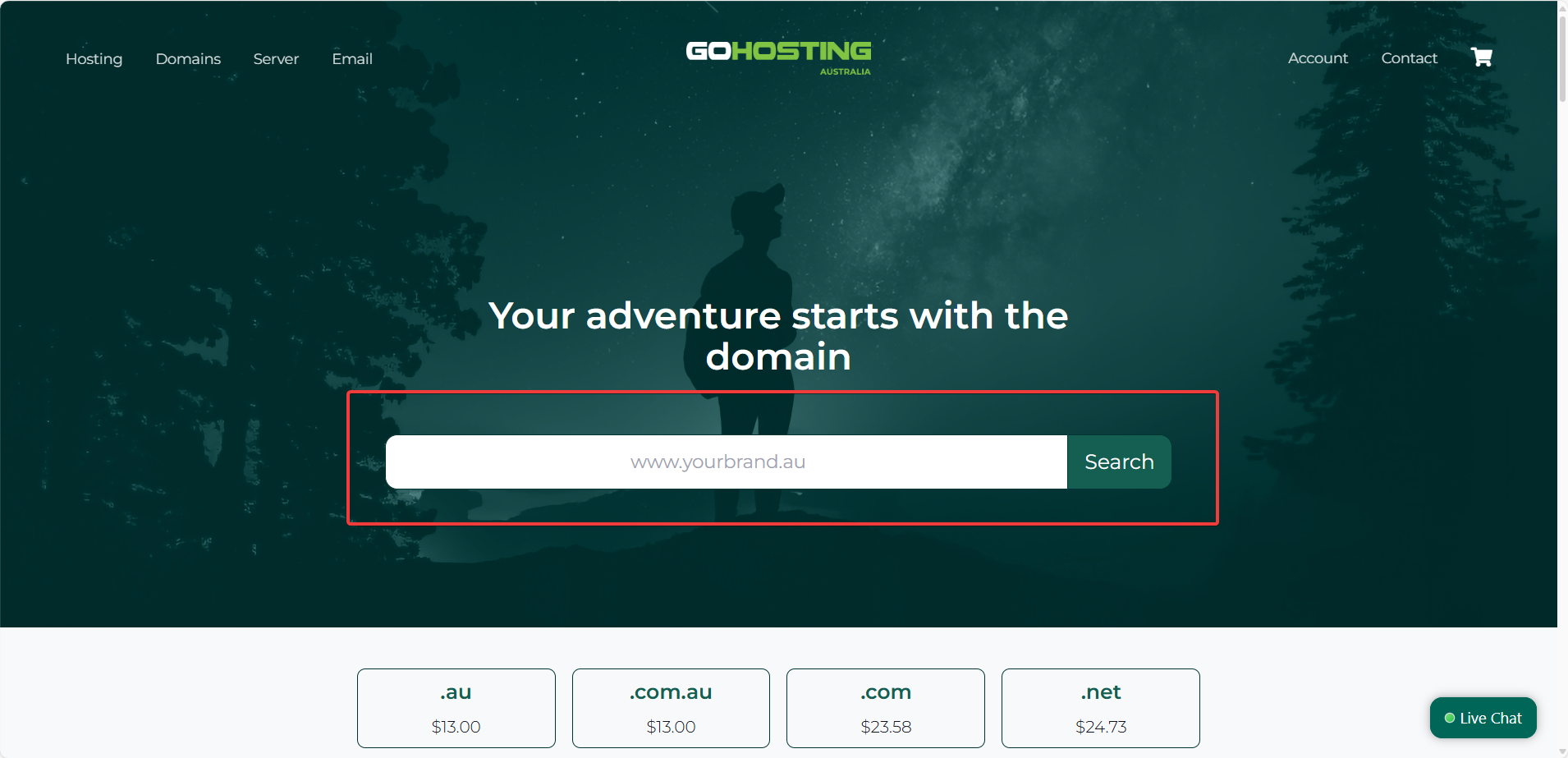
The results page will show whether the domain name is available, which domain types it’s available under (e.g., .au or .com.au), and how much it will cost.
If it’s available, click "Add" to add it to your cart, then click "Checkout" to proceed with registering and purchasing your .au domain.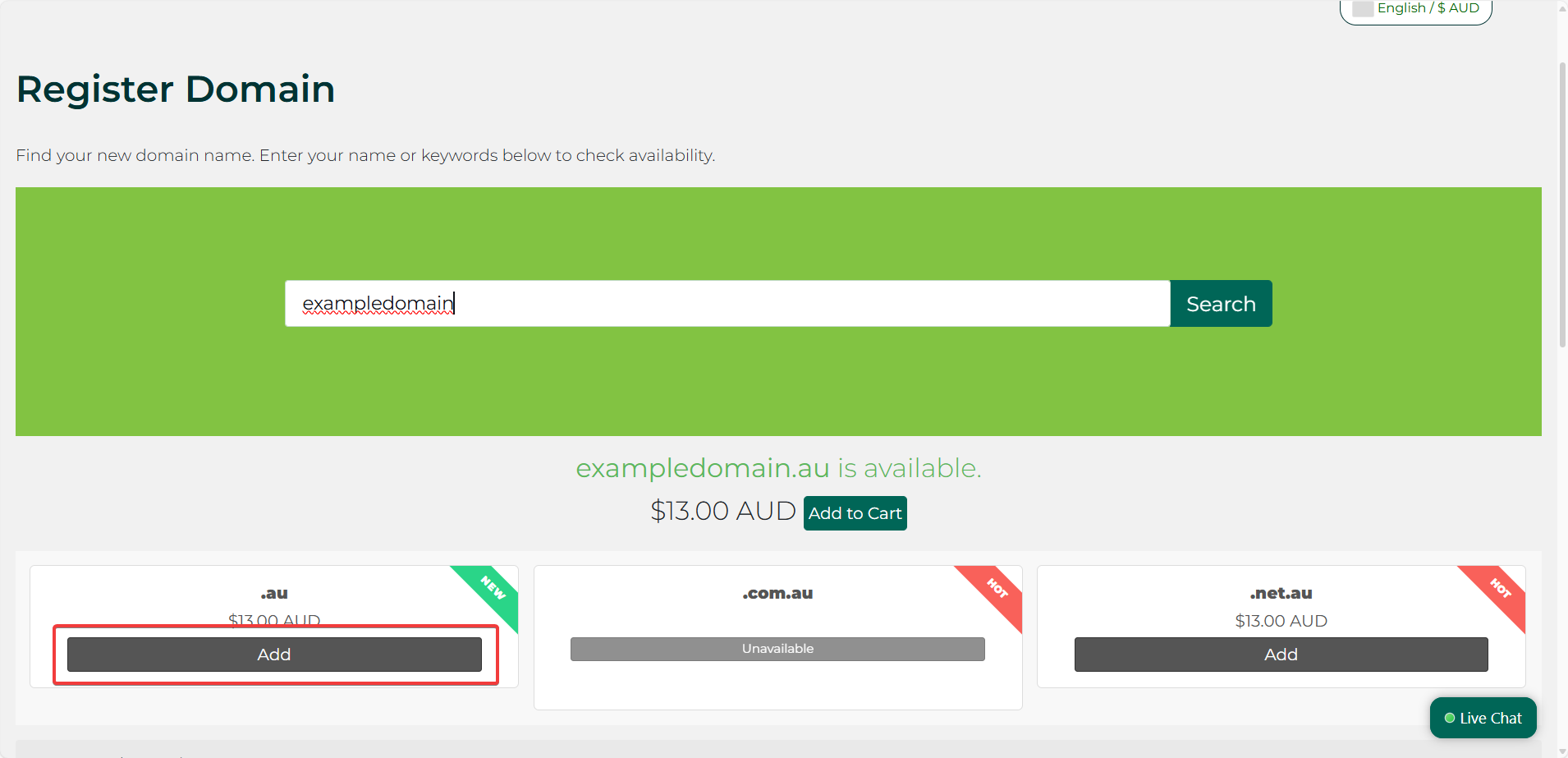
4. Provide your eligibility information
On the next page, you'll be asked to provide your eligibility information for domain registration. This includes the following:
Eligibility Name: Your legal name or registered business, organisation, or trademark name.
Eligibility ID: An ID number that matches the ID type you select below.
Eligibility ID Type: The type of identification you're using to prove your eligibility, such as ABN, ACN, Trademark, driver's license, or Australian passport/visa.
Eligibility Type: Your legal structure or organisation type, such as citizen/resident, sole trader, business, charity, political party, school, etc.
After providing your eligibility information, click "Continue" to review your purchase.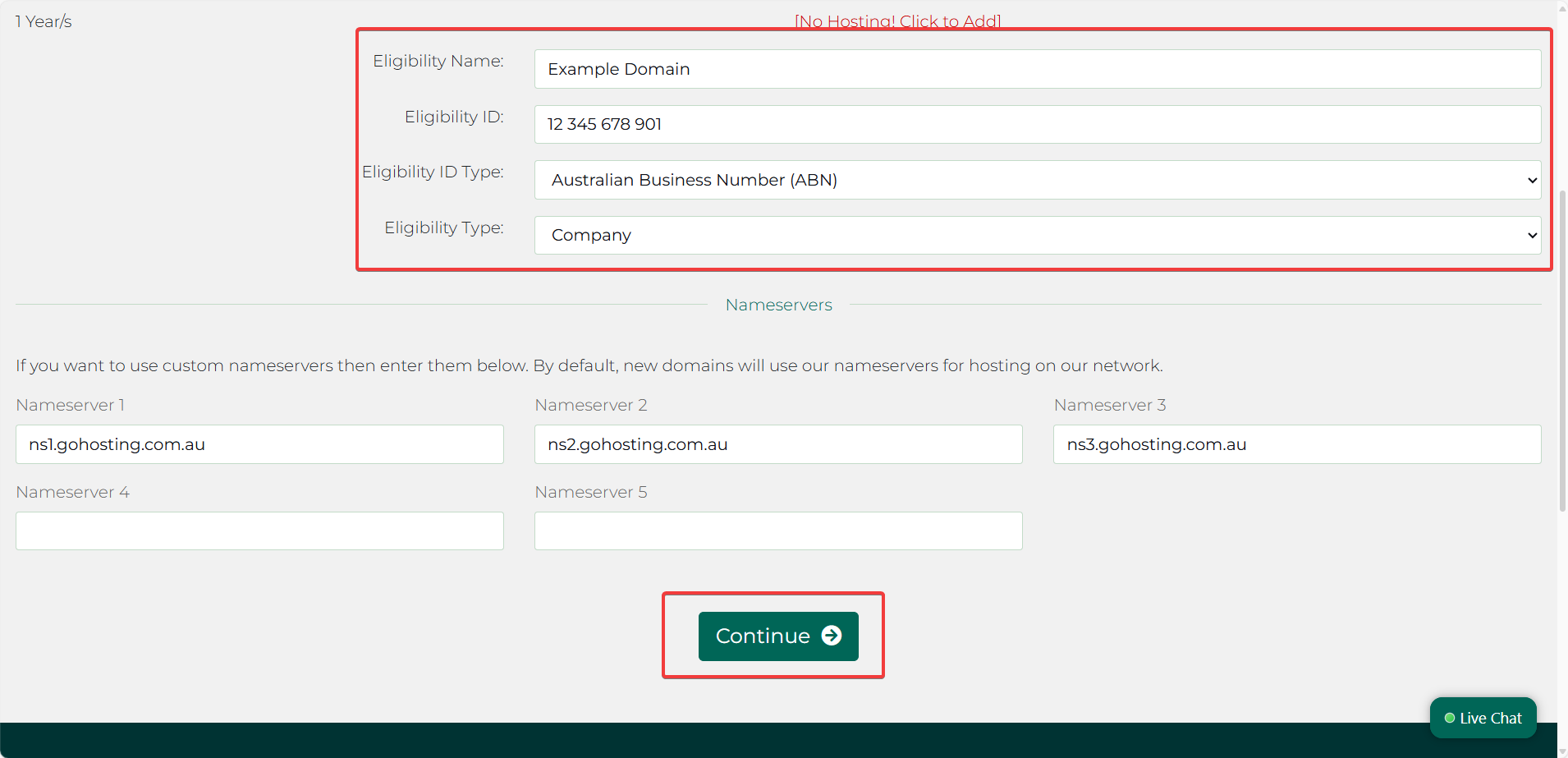
5. Review the details
On the "Review and Checkout" page, you can do a final check to ensure that the domain you've selected is correct and set the registration period—typically between 1 and 5 years. The page will also display the total cost for your chosen registration period.
Once you've confirmed that the domain, registration period, and price are correct, click "Checkout" to continue.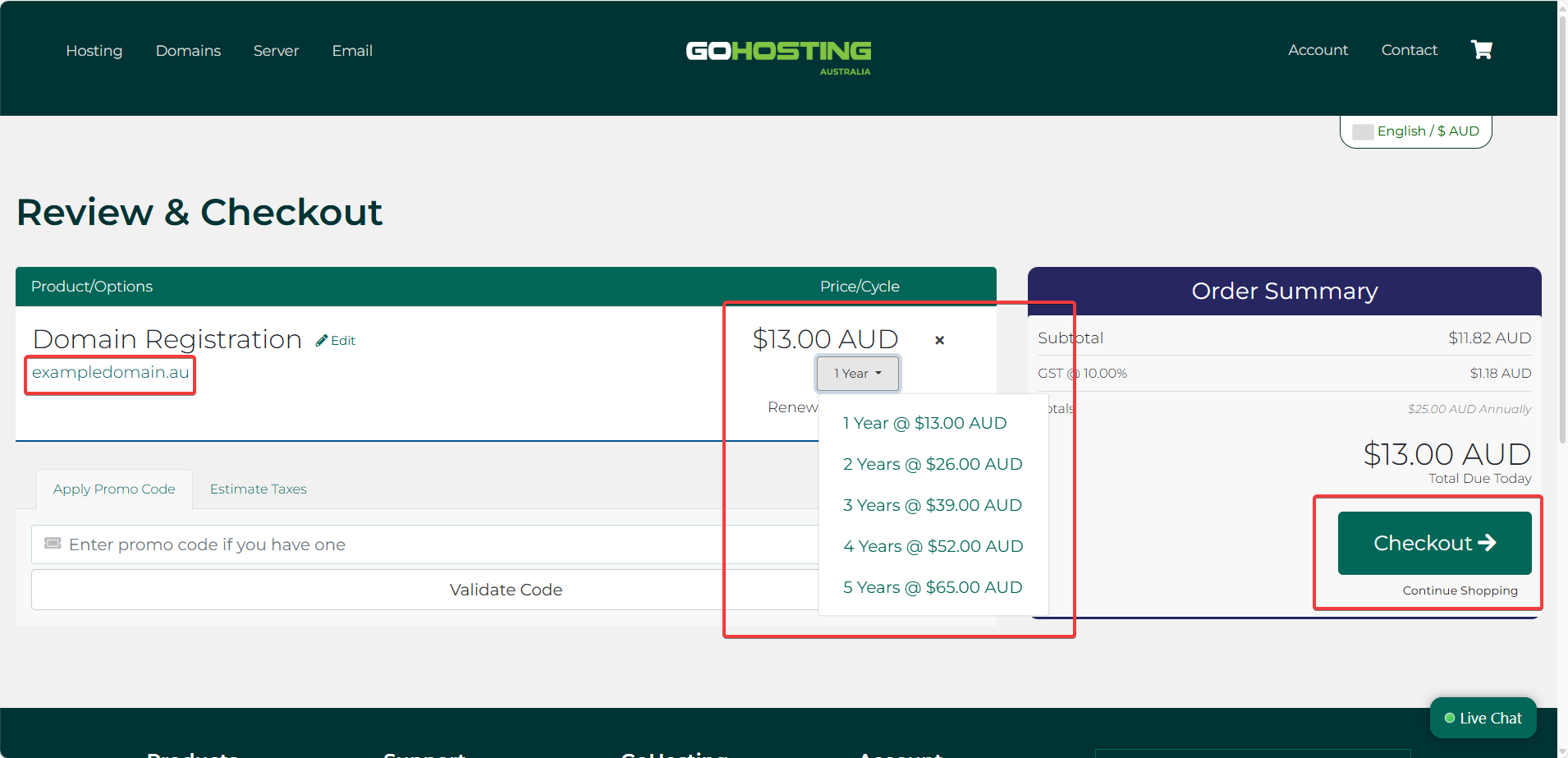
6. Complete your order
To complete your order, simply enter your personal details, including your full name, email address, and phone number, as well as your billing address.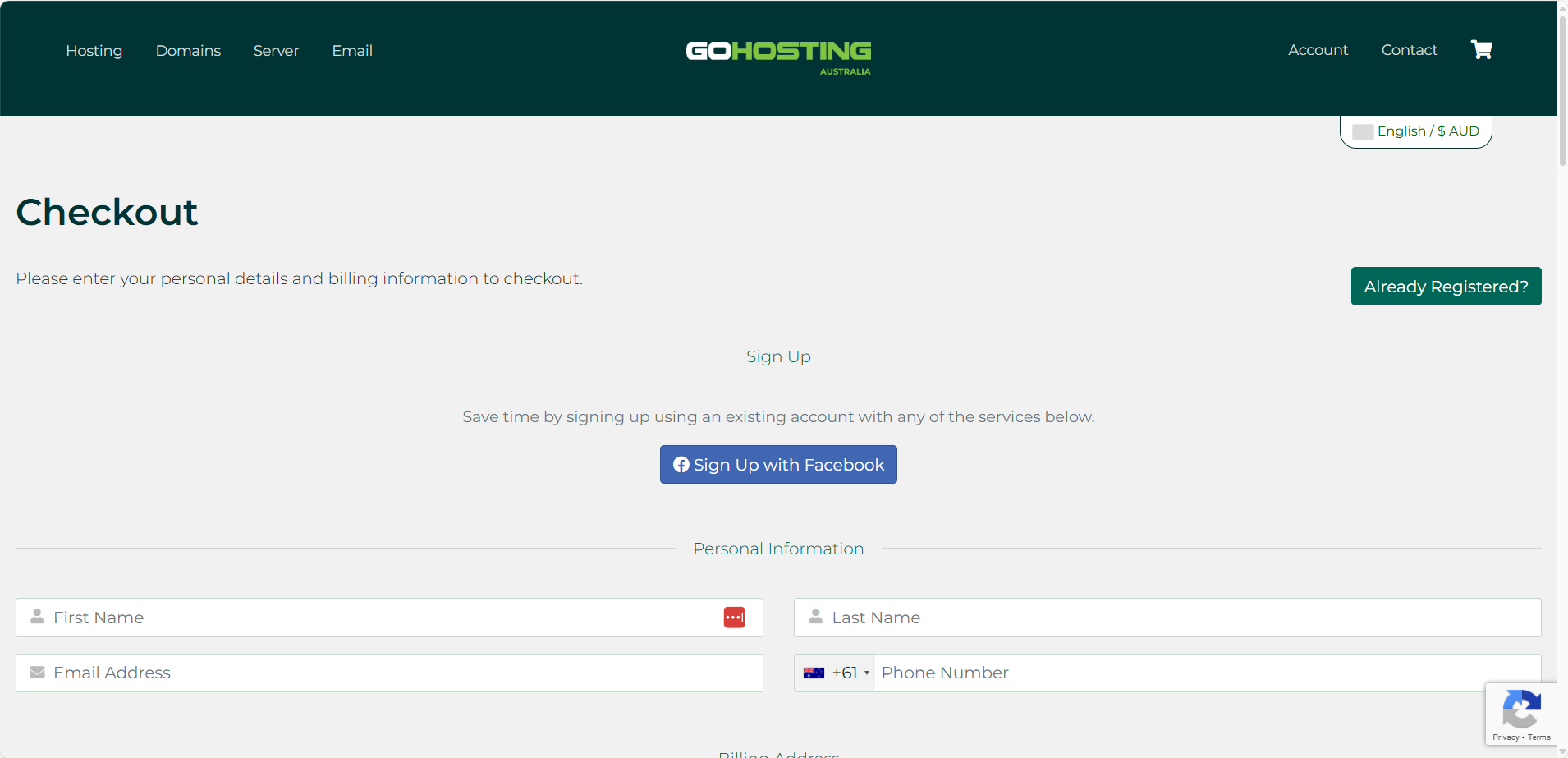
If you're a new customer, you'll also need to set a password for your GoHosting account. Finally, provide your payment information, such as your Visa or MasterCard details.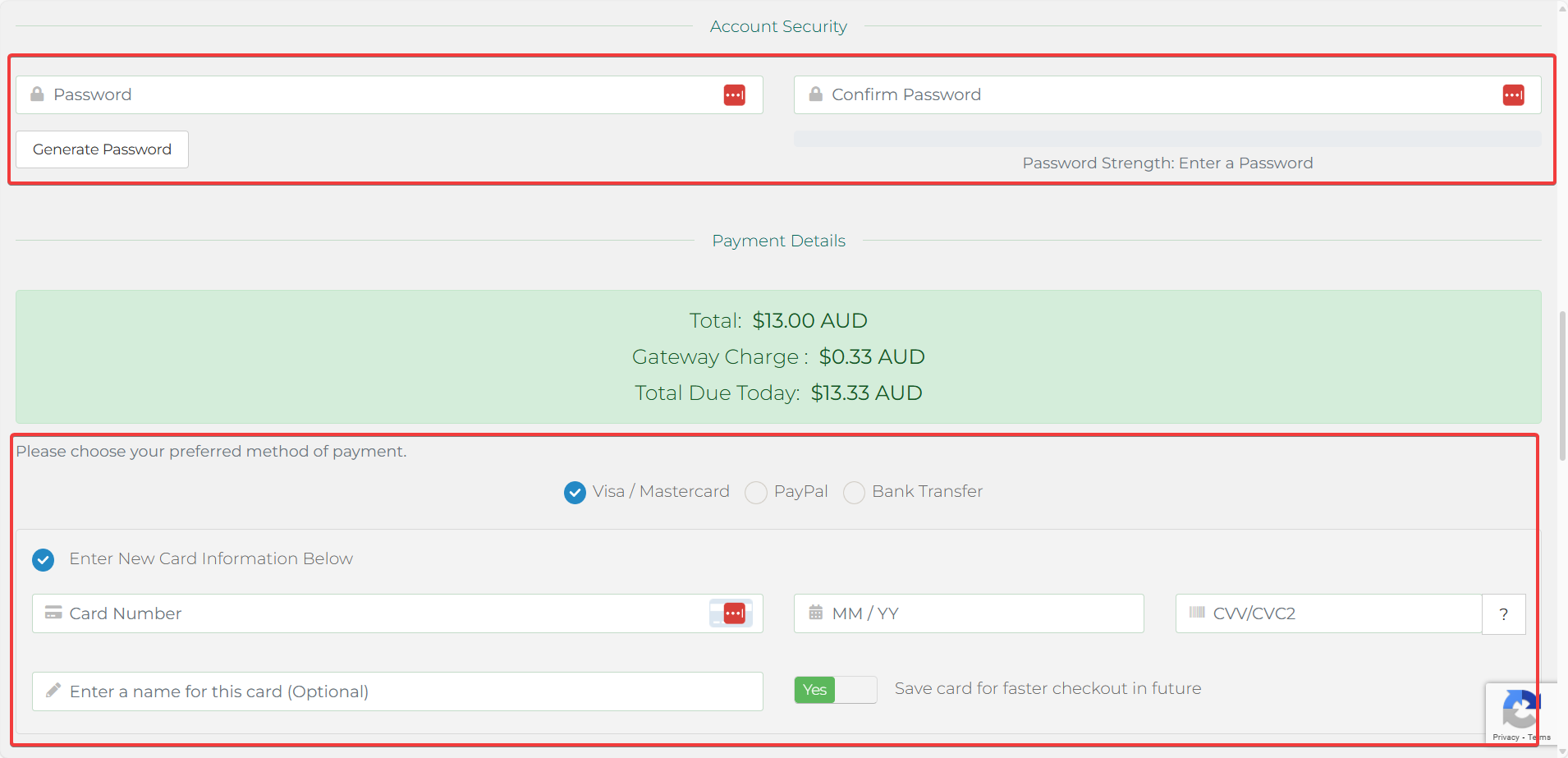
Once all required fields have been completed, tick the box labelled "I have read and agree to the Terms of Service", then click "Complete Order."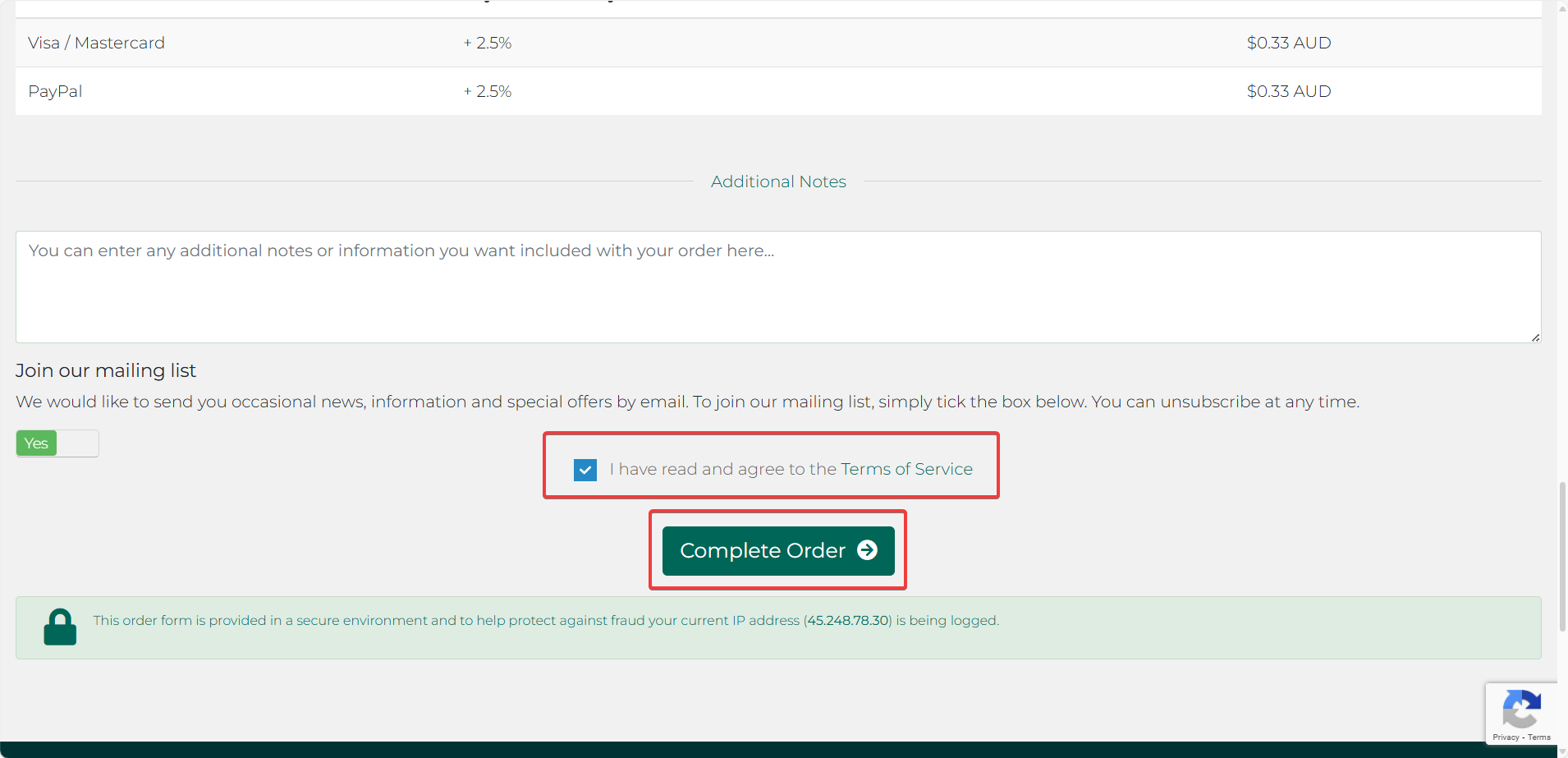
Congratulations! You’ve successfully registered and paid for your .au domain name. It should become active within a few minutes. You can now use it as a website address or to create custom email addresses.